


喜讯:国内、香港、海外云服务器租用特惠活动,2核/4G/10M仅需31元每月,点击抢购>>>
 点击这里申请百度智能云特邀VIP帐号,立即体验云服务器BCC>>>
使用百度智能云服务器BCC建站教程-Centos-7.2部署LNMP环境
本文介绍了如何使用centos 7.2系统搭建LNMP环境。centos7.2搭建LNMP具体步骤如下:
1.配置防火墙
CentOS 7.0以上的系统默认使用的是firewall作为防火墙,
关闭firewall:
systemctl stop firewalld.service         #停止firewall
systemctl disable firewalld.service      #禁止firewall开机启动
2.安装以及配置nginx
(1)可直接使用服务器内自带的yum源进行安装。
yum install -y nginx
(2)修改nginx默认配置文件。
cd    /etc/nginx/                              #nginx的默认配置目录
mv    nginx.conf    nginx.conf.swf             #将通过yum安装自动生成的配置文件换名,不再使用。
mv     nginx.conf.default  nginx.conf          #将default文件修改为加载配置文件
(3)启动nginx,并访问。
systemctl start nginx.service                     #启动nginx
systemctl stop nginx.service                      #停止
systemctl restart nginx.service                   #重启
systemctl enable nginx.service
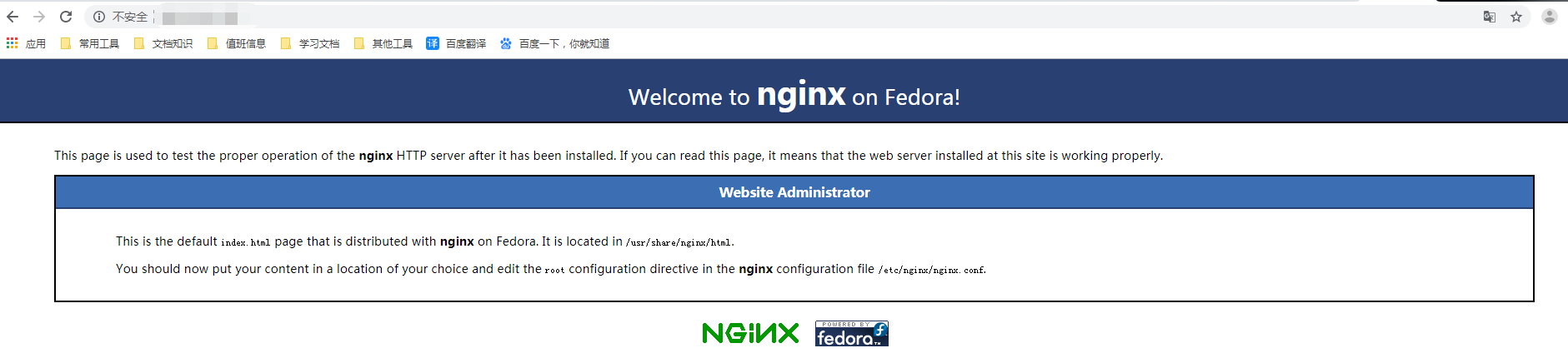
此时使用公网IP访问,即可打开nginx的默认欢迎页面。
3.安装php环境以及依赖扩展,并开启php
(1)安装环境。
yum install -y php-fpm php php-mysql php-gd libjpeg* php-ldap php-odbc php-pear php-xml php-xmlrpc php-mbstring php-bcmath php-mhash
(2)启动php-fpm。
systemctl start php-fpm.service             #启动php-fpm
systemctl enable php-fpm.service            #设置开机启动
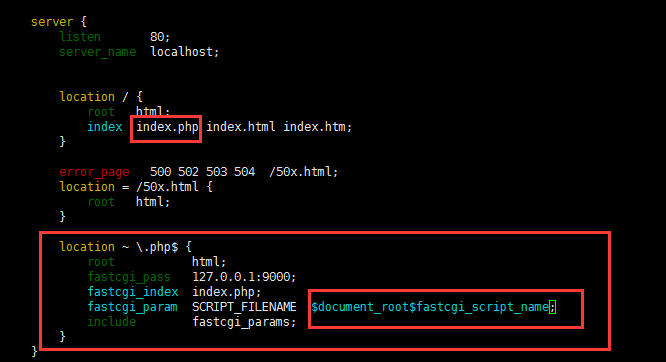
(3)修改配置文件,使nginx兼容php。
vim /etc/nginx/nginx.conf
在location内添加上index.php
把php识别之前的#注释给去掉就可以了,并且改一下fastcgi_param
location / {
root html;
index index.php index.html index.htm;
}

error_page 500 502 503 504 /50x.html;
location = /50x.html {
root html;
}

location ~ .php$ {
root html;
fastcgi_pass 127.0.0.1:9000;
fastcgi_index index.php;
fastcgi_param SCRIPT_FILENAME    $document_root$fastcgi_script_name;
include fastcgi_params;
}
(4)重启nginx和php-fpm
systemctl restart php-fpm.service
systemctl restart nginx.service
(5)访问phpinfo验证
进入nginx默认根目录 cd /usr/share/nginx/html/
vim index.php
<?php
echo phpinfo();
?>
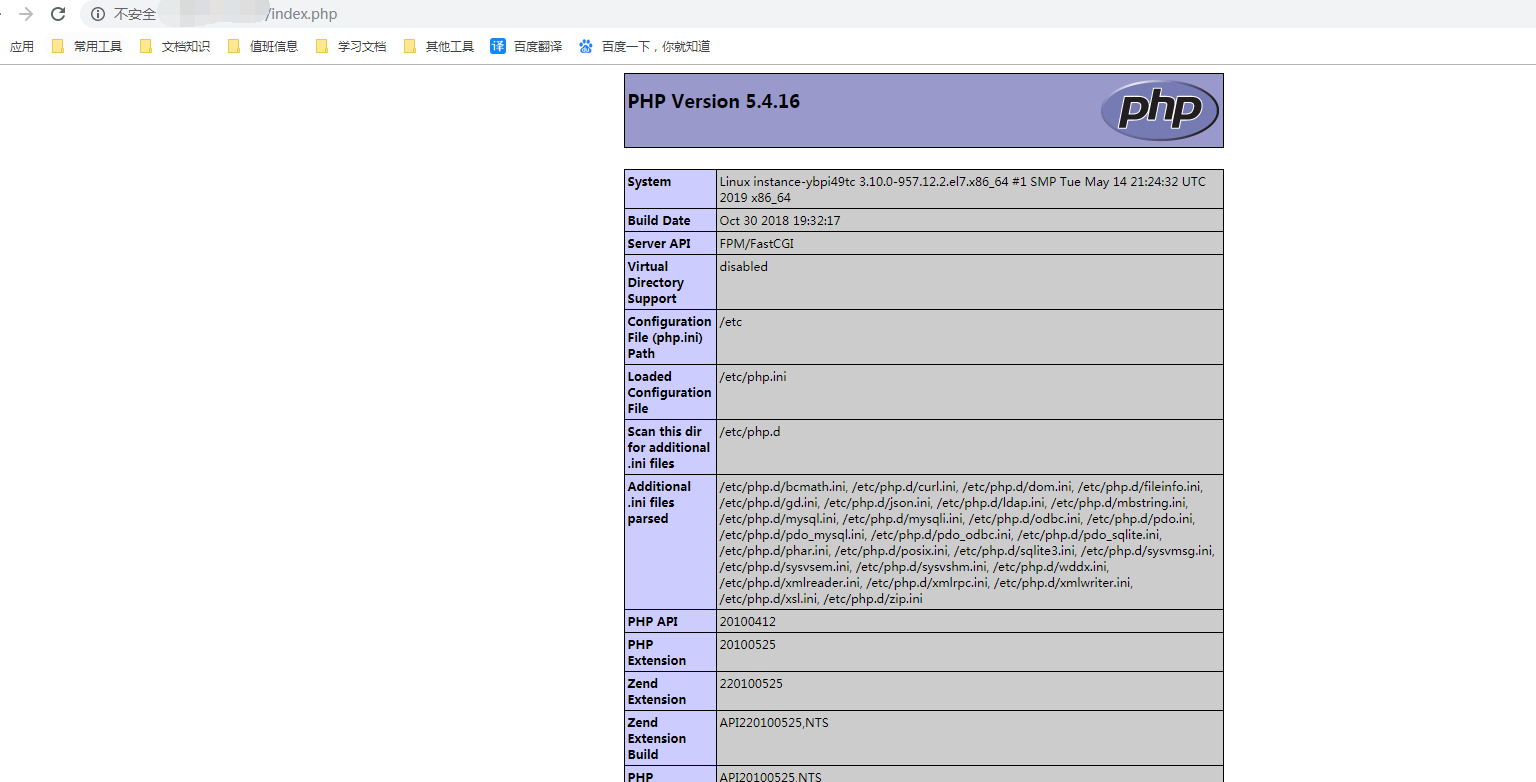
此时访问公网IP/index.php,可看到php的探针页面
4.安装mysql,并连接php进行验证
(1)centos7以上的系统,默认数据库为MariaDB,需要下载mysql源进行安装。
wget http://dev.mysql.com/get/mysql-community-release-el7-5.noarch.rpm
rpm -ivh mysql-community-release-el7-5.noarch.rpm
yum install -y mysql-community-server
成功安装之后重启mysql服务:
systemctl start mysqld
(2)安装后的mysql数据库是没有密码的,可进入数据库后授权,设置密码。
mysql -u root
mysql> use mysql;
mysql> update user set password=PASSWORD("这里输入root用户密码") where user='root';
mysql> flush privileges;
mysql> exit
(3)编写php测试mysql是否可连接的代码,并访问。
vim /usr/share/nginx/html/test.php
<?php
$link=mysql_connect("localhost","root","刚才所设置的数据库密码");
if(!$link) echo "FAILD!error";
else echo "OK!You succeeded.";
?>
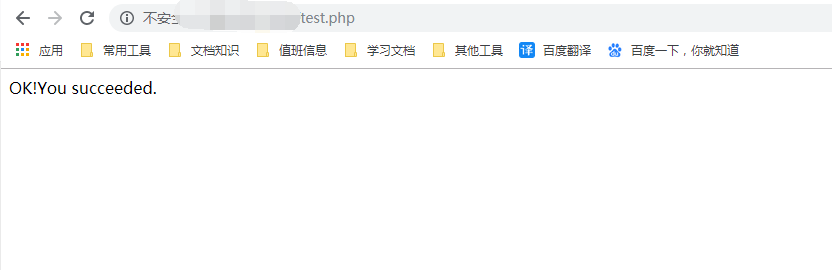
保存后,此时访问IP/test.php,可看到
至此,基于centos7.2系统所安装的LNMP环境已经全部搭建完毕。
推荐:TOP云智能建站优惠活动,仅880元即可搭建一个后台管理五端合一的智能网站(PC网站、手机网站、百度智能小程序、微信小程序、支付宝小程序),独享百度搜索SEO优势资源,让你的网站不仅有颜值有排面,更有排名,可以实实在在为您带来效益,请点击进入TOP云智能建站>>>,或咨询在线客服了解详情。

- 上一篇:百度智能云服务器怎么创建抢占实例?
- 下一篇:百度智能云服务器里的抢占实例是什么?
 湘公网安备43019002001857号
 备案号:
备案号: 客服1
客服1