


喜讯:国内、香港、海外云服务器租用特惠活动,2核/4G/10M仅需31元每月,点击抢购>>>
 点击这里申请百度智能云特邀VIP帐号,立即体验AR开放平台>>>
百度智能云AR开放平台使用指南-AR场景开发ARKit能力集成
ARKit能力集成
简介
ARKit是苹果在2017年WWDC推出的AR技术,DuMix SDK 集成了ARKit中的大部分能力,供开发者使用,目前仅iOS设备可用。
Sample case :代码下载
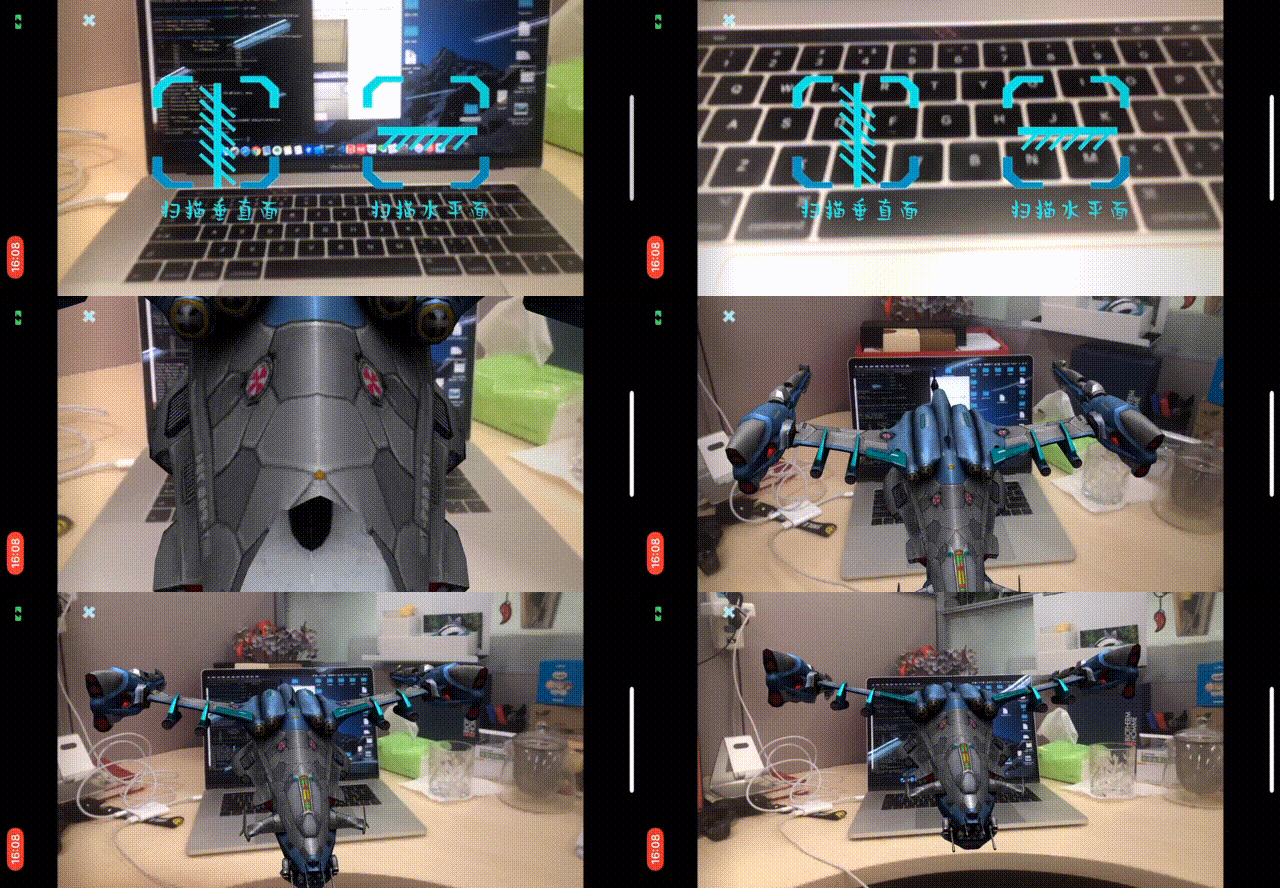
API接口
开启平面检测接口:ARKit.start_plane_detect()
设置平面检测类型接口:ARKit.set_plane_detection_type(type)
重新检测平面接口:ARKit.redetect_plane()
设置特征点是否开启接口:ARKit.set_plane_feature_info_enabled(1)
平面检测类型:
DetectionType.Horizontal 检测水平面
DetectionType.Vertical 检测竖直平面
DetectionType.VerticalAndHorizontal 同时检测水平面和竖直平面
能力使用
一、在内容平台中选择arkit类型模板
二、在lua中调用相关接口
 --示例代码
 app.on_loading_finish = function()
     -- 设置平面检测类型
     ARKit.set_plane_detection_type(DetectionType.VerticalAndHorizontal)
     -- 开始检测平面
     ARKit.start_plane_detect()
 end
三、Lua里获取logo识别状态及结果
 --示例代码
 app.on_loading_finish = function()

    -- 设置平面检测类型
    ARKit.set_plane_detection_type(DetectionType.VerticalAndHorizontal)
    -- 开始检测平面
    ARKit.start_plane_detect()

    -- 增加各种事件的监听
    Event:addEventListener("plane_feature_info", plane_info)
    Event:addEventListener("plane_anchor_added", plane_anchor_added)
    Event:addEventListener("plane_anchor_updated", plane_anchor_updated)
    Event:addEventListener("plane_anchor_removed", plane_anchor_removed)

 end

--- 平面特征点信息回调 --
function plane_info(event)

end

--- 找到平面的锚点的回调 --
function plane_anchor_added(event)

end

--- 平面锚点信息更新的回调 --
function plane_anchor_updated(event)

en

--- 平面锚点被删除的回调 --
function plane_anchor_removed(event)

end
注意
ARKit的能力仅支持 iOS11 以上的设备,部分功能需要 iOS 11.3以上的设备
推荐:TOP云智能建站优惠活动,仅880元即可搭建一个后台管理五端合一的智能网站(PC网站、手机网站、百度智能小程序、微信小程序、支付宝小程序),独享百度搜索SEO优势资源,让你的网站不仅有颜值有排面,更有排名,可以实实在在为您带来效益,请点击进入TOP云智能建站>>>,或咨询在线客服了解详情。

 湘公网安备43019002001857号
 备案号:
备案号: 客服1
客服1